
Royal Mail Scam Advice
An easy-to-follow guide to help Royal Mail customers avoid scams.
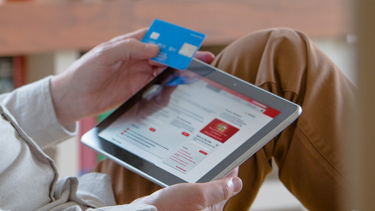
At Royal Mail, we care about your safety and peace of mind. Scams that imitate delivery notifications, fee requests, or missed parcel messages are on the rise, and we want to help you stay protected. This guide shows how to spot suspicious messages, understand what genuine Royal Mail communications look like, and explains what to do if something doesn’t feel right. Our aim is to keep you informed, confident, and safe from fraud.
Related help
• Typical online scams
• Report a crime against Royal Mail
• Service Update
• Contact us
• How to report scam mail
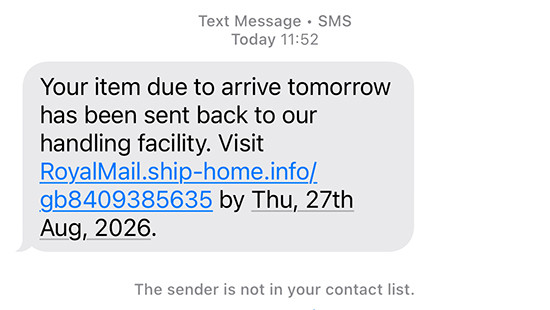
Common signs of a text message scam
- “We couldn’t deliver your package — please pay a fee.”
- “Your parcel is waiting for collection — click this link.”
- Anything using shortened links (e.g., bit.ly) or unfamiliar web addresses.
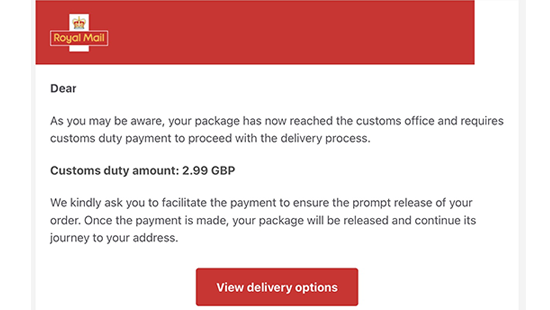
Common signs of an email scam
- Claim Royal Mail couldn't deliver your package.
- Pretend to be HMRC or customs.
- Ask you to “reschedule” delivery through a link.
- Ask for logins or payment details.
How to recognise a genuine message from Royal Mail
Royal Mail will only contact you by email or text if tracking updates were requested by the sender when posting the item.
Royal Mail will not:
- Ask for your bank details, passwords, or personal data.
- Ask for payment for an underpaid item by email or text. Instead, they always leave a grey “Fee to Pay” card. Please note that we may send an SMS or email notification for customs fee charges where the sender has provided your contact details, as well as a grey “Fee to Pay” card.
- Email attachments unless you specifically asked for them.
- Ask you to enter information on a website that is not part of Royal Mail.
What to do if you receive a suspicious message

If it’s an email:
- Do not click links or attachments
- Forward it to reportascam@royalmail.com
- Mark it as spam in your inbox

If it’s a text message:
- Screenshot the message and send it to reportascam@royalmail.com
- Forward the text message to 7726 (free) to report it to your mobile provider

If it’s through your letterbox:
- Complete Royal Mail’s online scam mail form
- Contact Citizens Advice on 0808 223 1133
Quick “Is This Real?” Checklist
Use these four questions before acting on any message that looks like it’s from Royal Mail:
- Did you ask for tracking updates?
If not, Royal Mail wouldn’t text or email you.
- Does the message ask for money or personal info?
Royal Mail will never ask for passwords, bank details, or to enter info on an unknown website.
- Does the link look unusual or shortened?
Most scam messages use unofficial links.
- Do you feel pressured or rushed?
Scammers often create urgency. Royal Mail does not.
To understand more about how scammers impersonate Royal Mail and how you can identify a scam, please watch our Stamp Out Scams Videos.